Senso
Trusted by more than 12,000 schools · 30 countries

The original cloud-native platform

Student safety, classroom control and school IT, unified.

Give safeguarding leaders, teachers and IT teams one connected place to protect students, manage learning and control school technology across every site.

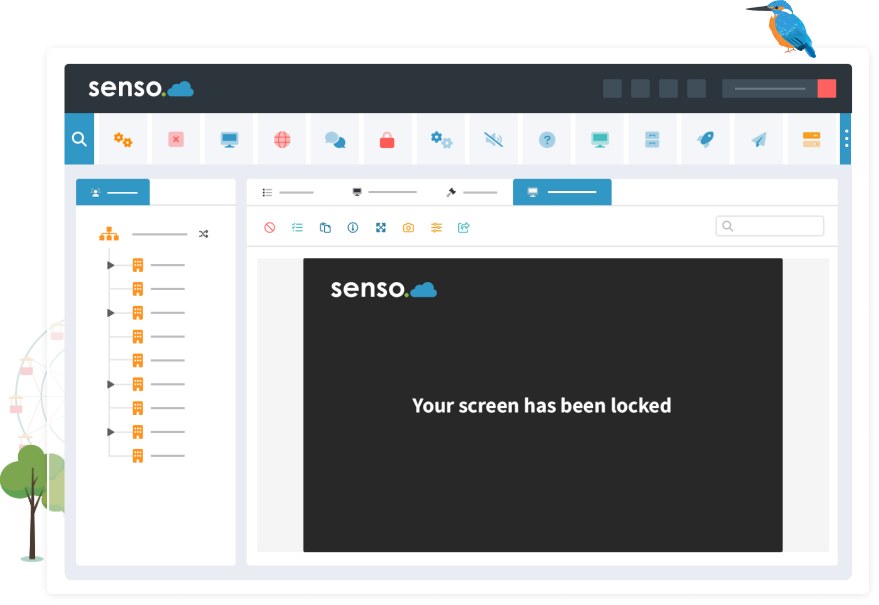
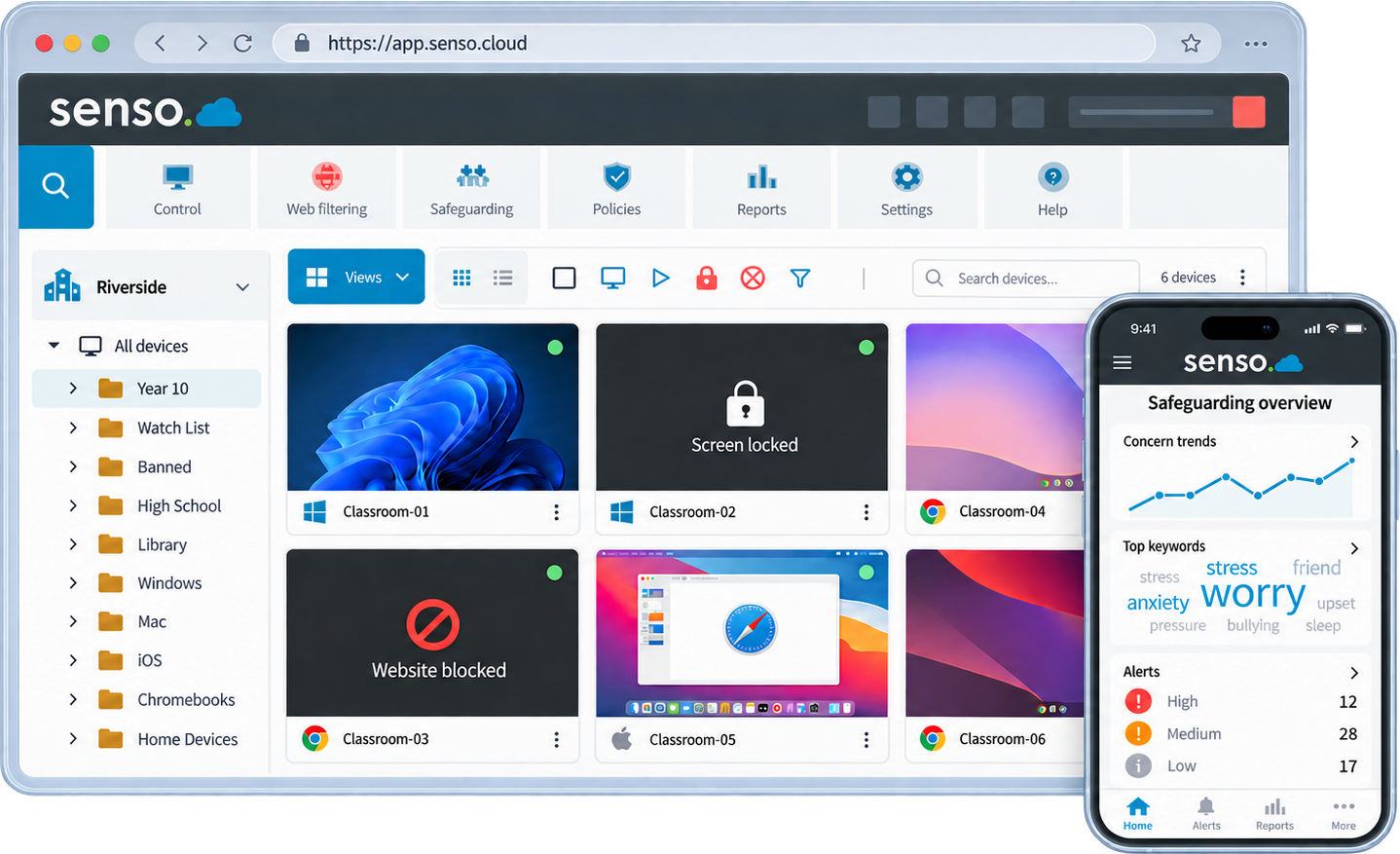
Senso portal showing live school device management and mobile safeguarding insights.
12,000+
schools trust Senso
30
countries worldwide
Since 2001
Education technology heritage
One portal
for all products and features

Four connected solution families

One platform. Every priority.

Each solution family works independently and becomes stronger inside the unified platform. Start with one priority. Expand without another migration.

Safeguarding

Detect risk. Act quickly. Keep every student safe.

Written activity monitoring, visual evidence capture, AI-assisted image analysis, human-reviewed triage and DSL workflows, built into the platform from day one.

  • Written keyphrase detection
  • Visual evidence capture
  • Human moderation
  • Microsoft Teams monitoring
  • False-positive management
Learn more
Filtering

Block harmful content. Stay compliant. Never lose visibility.

Content-aware web filtering with category intelligence, DNS protection, circumvention and VPN controls, on-network and off-network, across every device.

  • Category intelligence
  • DNS filtering
  • VPN and circumvention control
  • AI image safety
  • Off-network protection
Learn more
Classroom

Give teachers control. Keep students on task.

Deep classroom management expertise built over more than two decades. Screen visibility, lock, blank, message, restrict and collaboration tools, with IT-configured permissions and multi-school role delegation.

  • Screen visibility and monitoring
  • Lock, blank and message
  • Quick Question
  • Cross-platform coverage
  • Multi-school role delegation
Learn more
IT Operations

Control every device. Support every user.

Remote device support, asset visibility, service workflows, policy actions and application management, across thousands of devices and multiple sites from one console.

  • Remote device support
  • Asset management
  • Service Desk
  • Policy and command actions
  • Cross-school administration
Learn more

Platform architecture

One portal. Every capability.

Every solution family works through one Senso portal with shared identity, hierarchy, device data and policy controls. Capabilities are activated within the platform, not operated through separate product portals.

  • One portal and sign-in for every Senso product
  • Central hierarchy: group, trust, region, school, class and user
  • Role-based delegation, DSL, IT admin, teacher and leadership views
  • Shared identity through Microsoft Entra ID and Google Classroom
  • Platform-specific deployment components, managed through one cloud console
  • Integrated insight: safeguarding, filtering and IT data in one place
  • Modular entitlements, activate capabilities as your needs grow
Explore the platform

Solution families

Safeguarding

Filtering

Classroom

IT Ops

Shared platform layer

Identity & SSO

Central hierarchy

Device management

Policy engine

Reporting & audit

Integrations

Foundation

One secure tenant · Azure data residency

Securely isolated within Senso's regional Azure environment.

Senso platform showing multi-school hierarchy tree with school groups, delegated access and consolidated device monitoring
Manage thousands of devices across every site

Multi-school management

Designed for large multi-school groups. Simple enough for one school.

Built around a central hierarchy that scales from one school to a trust managing dozens of sites. Set policy centrally, delegate access locally and see everything from one console.

Central policy

Set rules at trust level with per-school exceptions

Delegated roles

Trust leadership, IT admins, DSLs and teachers each see their view

Consolidated reporting

Safeguarding, filtering and IT data across every site in one report

One organisation view

Thousands of devices across every site, not siloed per school

Multi-school management

Why Senso

Built different from the start

01

A cloud-native original

Built from scratch as a cloud-native platform when cloud delivery was far from standard in schools, not a legacy product repackaged for the cloud.

02

Safeguarding created at the core

Student safety monitoring was not added to a filtering product. It was the foundation the platform was built on, and it shows.

03

Classroom-management depth

Two decades of classroom management depth. Lock, blank, message, restrict, quick-question, remote assistance and collaboration, all configurable by IT.

04

Filtering and safeguarding intelligence are integrated

Web filtering events and safeguarding evidence share context. A blocked search and a flagged typed phrase create a complete picture, not two separate logs.

05

Human expertise alongside automation and AI

Linguistic expertise, expert-developed language resources and a UK-based specialist team sit alongside AI-assisted analysis. Charlotte Kennedy's safeguarding language work is built into the detection engine.

06

Broad school IT capability

Remote support, asset management, service desk and application control mean IT teams can replace several point solutions with one platform.

Safeguarding Monitoring

Activity. Context. Triage. Action.

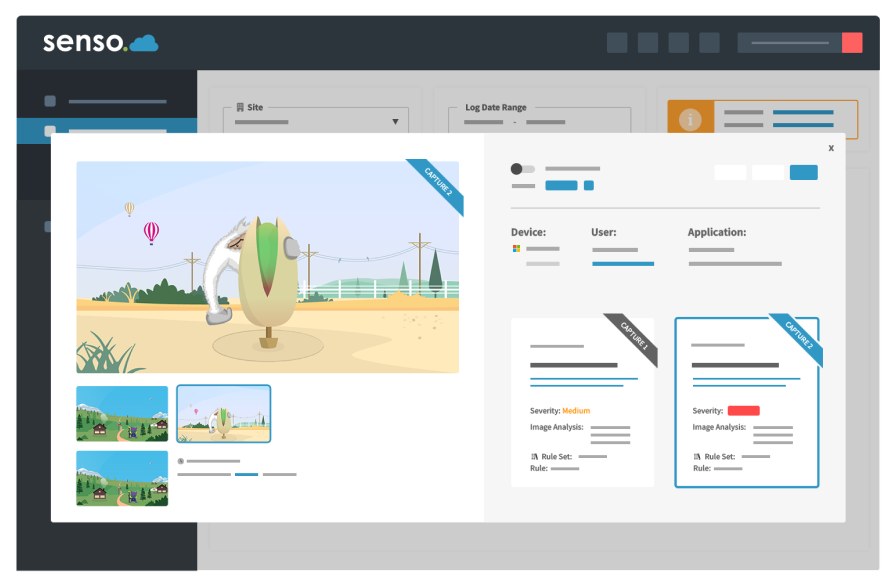
Senso detects written and typed-but-not-submitted activity, captures contextual visual evidence and supports DSL teams through triage, escalation and resolution, with human review available 24/7/365.

  1. 1

    Detection

    Written keyphrases, typed activity and image content flagged in real time

  2. 2

    Context

    Visual evidence, application context and user history captured automatically

  3. 3

    Triage

    DSL workflow with severity, status, assignment and escalation controls

  4. 4

    Action

    Evidence retention, reporting, and referral support for safeguarding decisions

Senso safeguarding monitoring panel showing detection event with device, user, application context, severity rating and capture thumbnails

Classroom Management

Visibility and control for every lesson

See every screen in real time. Lock, message, restrict and collaborate across Chromebooks, Windows and iOS, with cross-platform coverage teachers and IT teams can rely on.

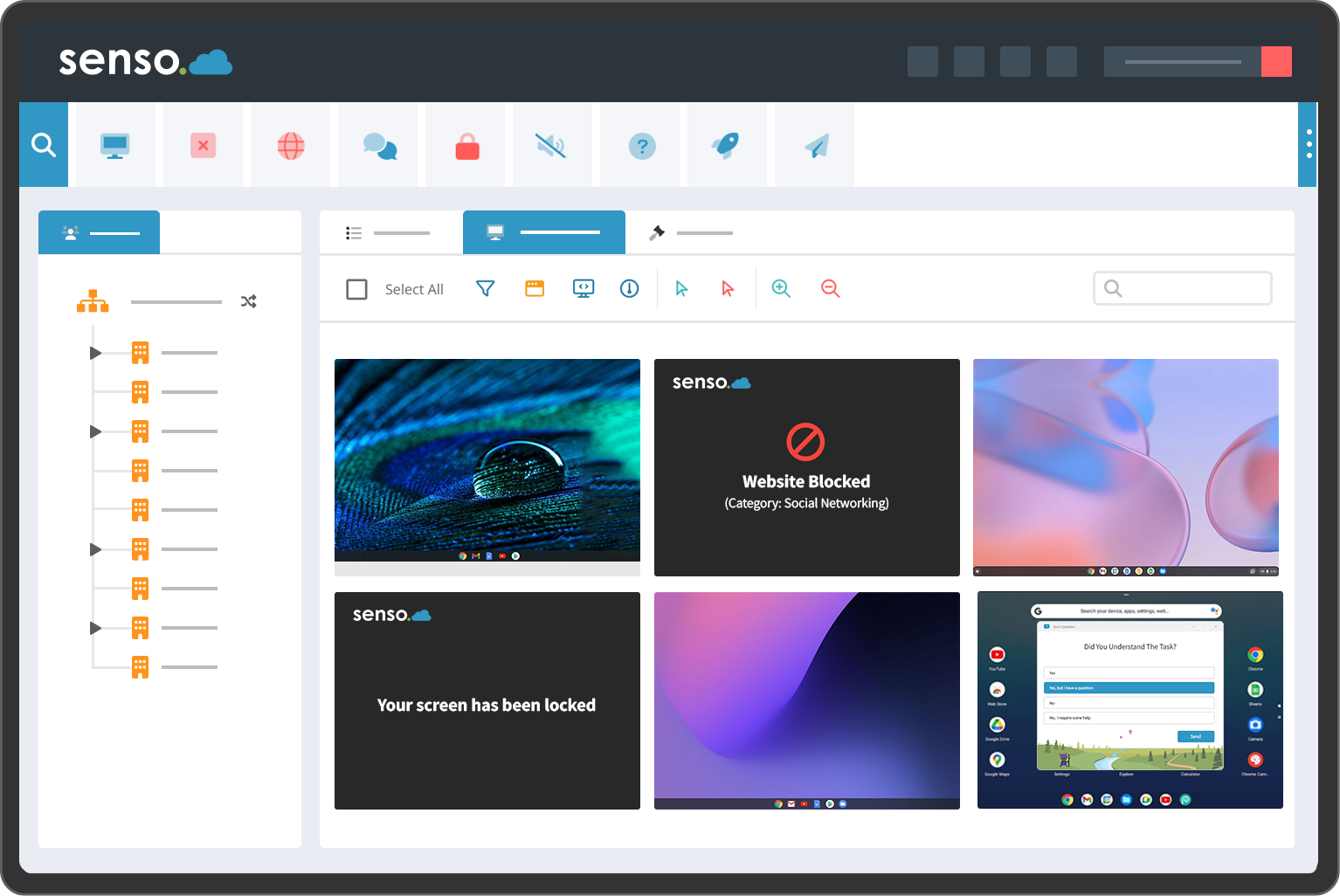
Senso classroom management showing thumbnail view of all student screens with toolbar controls and Quick Question dialog
Why teachers choose Senso
  • See every screen instantly

    Live thumbnail view of every student device in your class, no need to walk the room.

  • Keep students on task

    Lock screens, push a message or restrict websites for your class in one click.

  • Quick Question

    Send a comprehension check to the whole class and see who has understood before moving on.

  • No technical knowledge required

    Designed for teachers, not IT. Open and start using on the first day.

Why IT teams choose Senso
  • Centralised permissions

    IT controls which teachers can use which classroom features, across every school and trust.

  • Full platform and OS coverage

    Windows, Chromebook, macOS and iOS supported. Coverage details available on request.

  • Multi-school role delegation

    Trust IT admins, school IT admins and teachers each have their own view and permissions.

  • Integrations with your existing stack

    Microsoft Entra ID, Google Classroom, Microsoft Teams and ClassLink integrations.

Web Content Filtering

More than category blocking

Modern filtering must handle proxy circumvention, VPN bypass, AI image generation and off-network devices. Senso addresses all of these through a single policy framework, not a patchwork of tools.

Category intelligence

URL and category-based filtering with policy by user, group, device, school and organisation

DNS filtering

Network-layer filtering for on-network protection, independent of agent-based filtering

Circumvention and VPN controls

Detects and blocks proxy services, VPNs and circumvention tools used to bypass school filters

AI image safety

Image analysis and blur capability where supported by the filtering configuration

On-network and off-network

Protection extends beyond school to managed devices used at home or on mobile data

Safeguarding relationship

Filtering events and safeguarding detections share context, a complete picture, not two separate logs

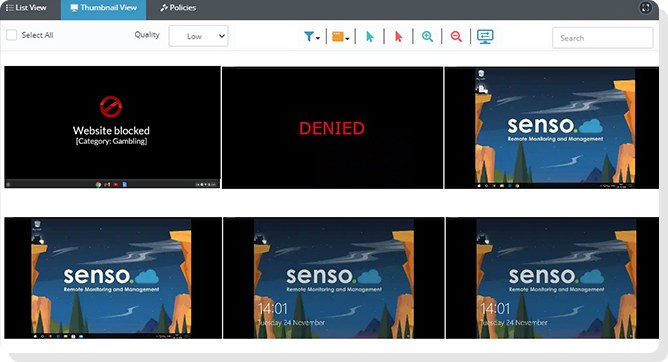
Senso web content filtering showing blocked site message, DENIED screen and monitoring interface

IT Operations

Control every device. Support every user.

Replace fragmented school IT tools with one platform that spans remote support, asset management, service workflows, policy actions and cross-school administration.

Remote device support and control

Connect to any managed device remotely, view, control and resolve issues without leaving your desk.

Device visibility

See every device across every site: hardware, software, applications, users and status in one place.

Asset management

Track the full lifecycle of every school device, from procurement to decommission.

Service Desk

School-focused service desk workflows connecting issue tracking to the devices and users involved.

Policy and command actions

Push policies, run commands and enforce standards across thousands of devices simultaneously.

Central administration across schools

One console for IT administrators managing multiple schools, trusts and regions.

Customer proof

Schools and trusts that trust Senso

Trusted by schools and trusts across the UK and beyond

KWS
LEO Academy Trust
Vita et Pax College
Romero Catholic Academy
Leighton Park
Clayton Hall Academy
Bartley Green School
Shevington High School

Read customer reviews

Security and privacy

Secure, isolated, regionally hosted.

Azure-backed data isolation

Your data is securely isolated within Senso's regional Azure environment, with role-based access and controlled retention.

Microsoft partnership

Integrated with Microsoft Entra ID for identity and access management across the platform.

Regional data hosting

UK, US and Australian data residency options available by region and product.

Privacy and procurement

DPA templates, data processing documentation and procurement evidence available on request.

Security, privacy and trust

Two generations of innovation

A safeguarding pioneer. A cloud-native first.

The first cloud-native unified platform to bring student safety, classroom control and school IT together; this is not a claim we make lightly. It is the origin story of Senso, and it shapes every decision we make.

The work that became Senso began in 2001, when our founder built keyword-based safeguarding detection with contextual visual evidence at a time when most schools had never heard the term “online safety monitoring.” That software became the foundation on which Senso was built, cloud-native from the start, unified by design.

We did not retrofit safeguarding onto a filtering product or bolt classroom management onto a monitoring tool. We started with the hardest problem, keeping students safe online, and built outward, always in the cloud, always as one platform.

Discover our story#SensoDidItFirst

Ready to see Senso in action?

Request trial access or book a demonstration tailored to your school, trust or district.

Trusted by more than 12,000 schools across 30 countries · Education technology heritage since 2001 · Cloud-native and unified from day one