Tools for IT Teams
Helping IT teams improve efficiency, save time, and offer IT support remotely.
Senso's device management tools enable IT teams to generate reports on the condition of your school’s machines, including hardware, software, and user activity.
BOOK A DEMO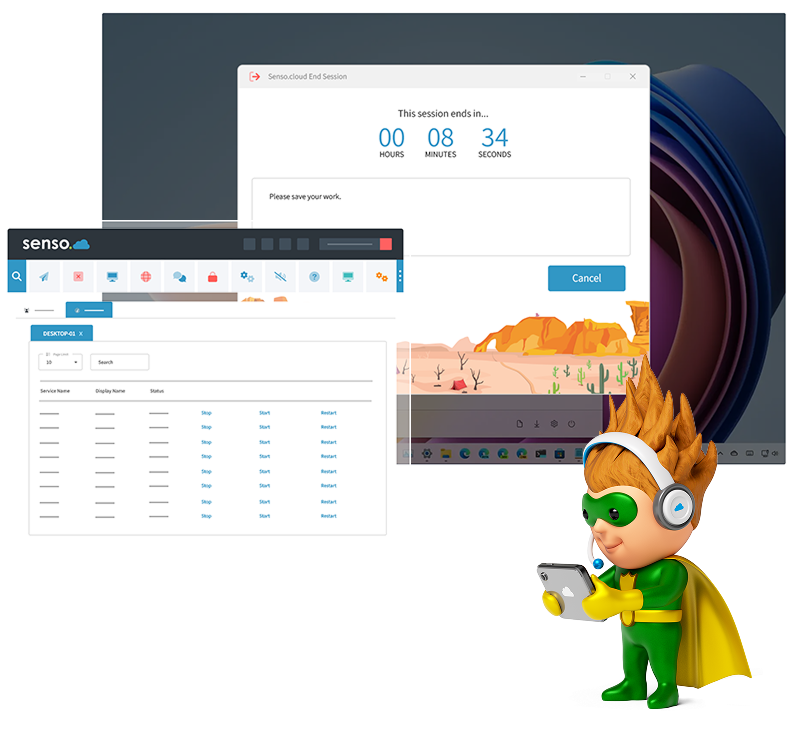
Monitor and Manage your Entire IT Estate
Network Cloud works across multiple devices, meaning your school’s IT teams can offer support to staff and students from anywhere, in just a few clicks
Managing and maintaining school devices can be challenging, but Senso.cloud effortlessly handles any number of devices across multiple platforms. Deployment is effortless with a lightweight MSI.
Remote IT Support
Take control of a student or teacher’s device remotely, providing support without requiring them to be at their computer.
Offer remote support and take control of a device without the need for a password, passcode or username. Administrators can log on to multiple devices to offer IT support and fix a device when the user isn’t present with ‘Remote Login’.
BOOK A DEMO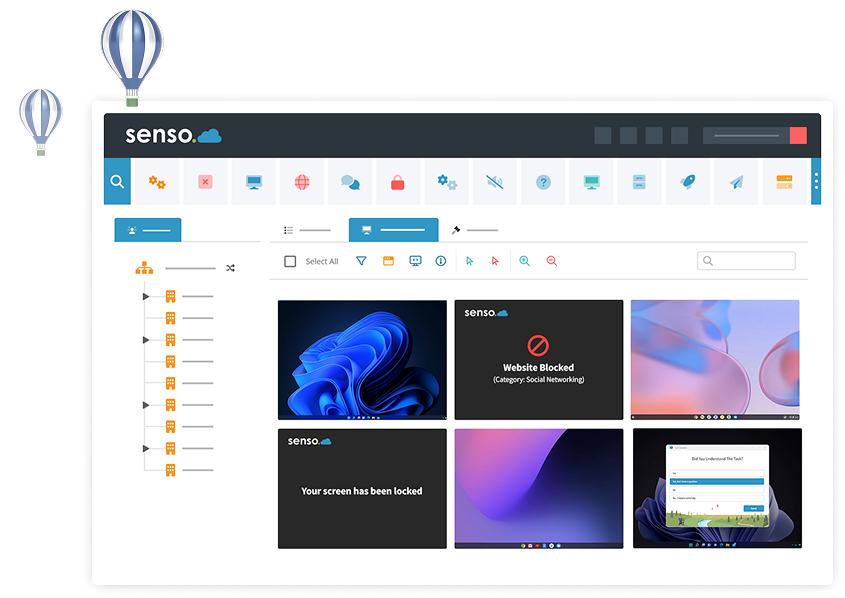
Streamline your IT Activities
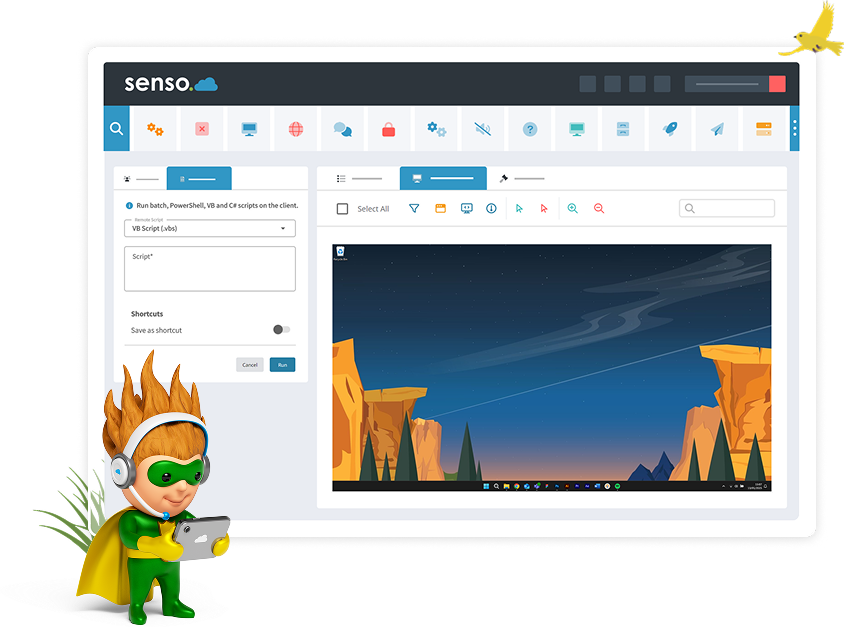
With features such as ‘Command Prompt’, you can execute commands on users’ devices silently, without interrupting the user.
With ‘Remote Script’, IT techs can generate a Batch, Powershell, or VBScript and remotely execute it on any desired number of machines, either in real-time or upon the machine's startup, through a Senso Policy.
Device Information at a Glance
View device information at a glance, making it easy to identify which devices require upgrades or replacements.
With Network Cloud’s ‘System Information’ feature, you can get an insight into a device’s bios, drives, network, processor, memory, graphics, support information and applications installed.
BOOK A DEMO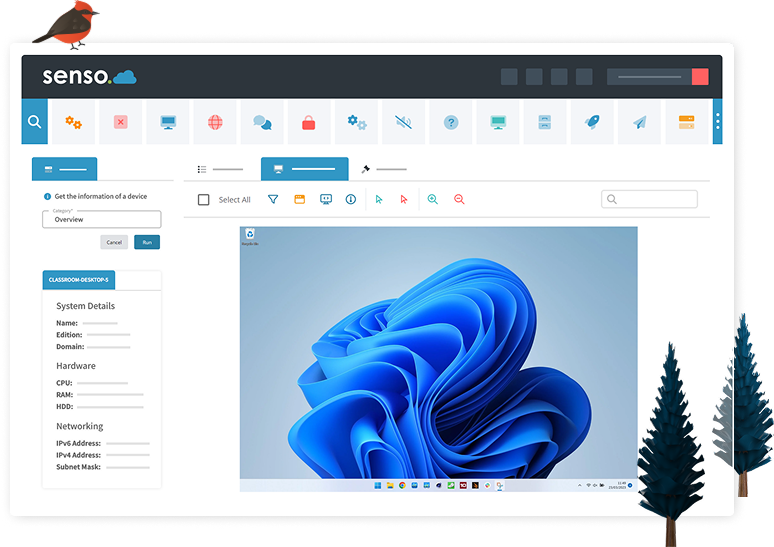
“Exceeded Our Expectations”
“Based on our testing, Senso not only met but exceeded expectations.
It offers greater functionality, lower cost, and smoother long-term management than the other tools we assessed.”
Noah Davoodi | ICT Systems Support Officer | Kardinia International College, Vic
Network Cloud Modules
Tools for teachers that enhance classroom management and collaboration.

Azure AD allows access to grouping and user-based information. It also allows automatic sync to pull.

Sync with ClassLink to streamline your teacher, student and class data.

Easily import all of your classroom groups, giving staff members access to the correct groups and live thumbnails.

Easily sync your school's Google Classroom groups automatically for easy screen access.

Easily sync your school's Microsoft Teams groups automatically for easy screen access.

Easily share your groups with substitute teachers or teaching aids.

Disable specific keys or key combinations which may cause distractions or launch unwanted features.

Block unauthorised USB devices to prevent the use of harmful content and programs.

Allows you to update your client in a single click. Or, schedule your updates for another time.

Execute commands using command prompt on a single or on multiple devices, silently.

Log off remote users, restart or shut down devices, and allow time for users to save their work.

Query system events for selected devices from within a specified time period.

Give advice or guidance to students with a click of a button, without disrupting the lesson.

Take control of Windows devices by locking or unlocking the remote Windows machine.

Start, stop or restart services on one or more devices remotely.

Set up a MiMic script to install a program or update a setting on one or more devices in the click of a button.

Power On allows users to remotely power on offline devices using Wake-on-LAN.

Assist students within the classroom by taking control of their devices to keep them on task.

Remote Log On enables users to securely log in to one or multiple machines remotely using provided local AD credentials.

Make registry edits across your entire estate from one easy-to-use management console.
Monitor the screens of one or multiple student devices in your classroom.

Make registry edits across your entire estate from one easy-to-use management console.

Allows you to see everything you have open even if it has been minimised.

Reset Password allows administrators to reset user passwords within Active Directory.

Push out a website or application to the whole class, or to selected devices.

Reports Windows UAC status, encrypted drives, antivirus status, and updates across devices.

Access and send files from anywhere to single or multiple devices. Run files as an administrator.

Send a message to a single student or to multiple students within the classroom.

Choose what level of screen privacy devices in a group have. Set warnings if someone is looking at your screen.

Query devices to check for specific software installation and see its version information.

Test the internet upload and download speed of Windows devices.

Check the system overview, BIOS, drives, network, processor, memory, graphics, software and more.

Allows you to query TCP Connections and Running Processes running on one or more remote devices.

Gain access a toolbar with the Show Support Ticket option, Anonymous Reports, and join PIN Group.

Upgrade your School’s IT Tools
Network Cloud is built for scale, so no matter the size of your school, IT Teams can enjoy features that will help them streamline day-to-day IT activities and manage their entire IT estate.
Contact a member of our team to arrange a demonstration and learn more about Network Cloud.
GET STARTED