
Detect risk. Act quickly. Keep every student safe.
Senso Safeguard is student safeguarding software that gives Designated Safeguarding Leads keyword detection, typed-but-not-submitted activity capture, contextual visual evidence, AI image analysis and a complete triage and escalation workflow, with optional 24/7/365 human moderation through Assisted Monitoring Services.
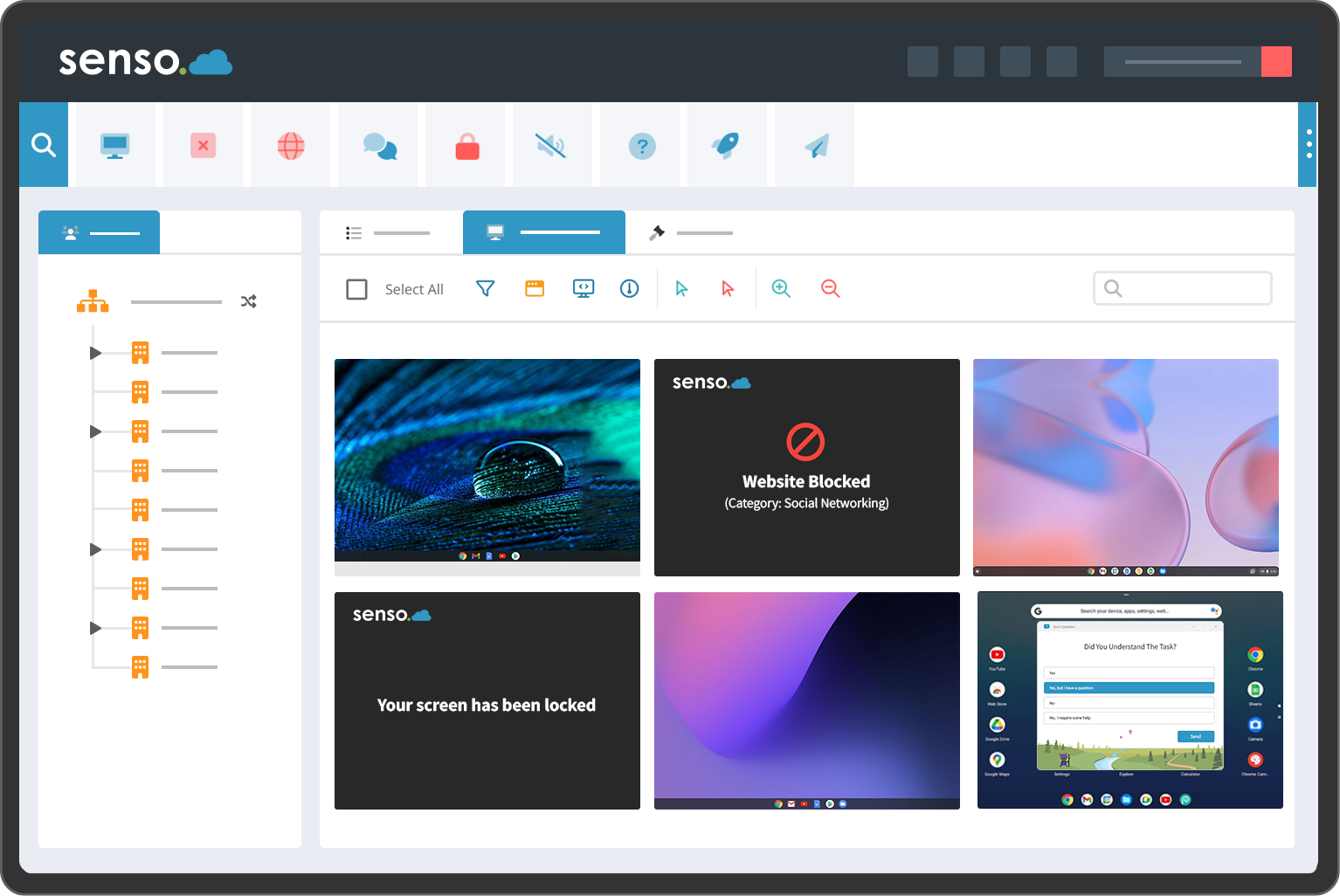
12,000+
schools trust Senso
Since 2001
Founder-led safeguarding expertise
24/7/365
human moderation available
UK-based
specialist moderation team
What is Senso Safeguard?
Student safeguarding software, the pioneer of keyword detection and contextual visual evidence
Senso Safeguard is student safeguarding software and online safety monitoring platform built for Designated Safeguarding Leads, school IT teams and group leadership. It detects written keyphrase and keyword activity across managed devices, captures typed-but-not-submitted drafts before they are deleted, records contextual visual evidence at the point of concern and routes every alert through a structured triage, assignment and resolution workflow.
Unlike safeguarding features added to filtering or classroom management products, Senso built safeguarding monitoring at the core of the platform from its earliest release. The detection engine uses expert-developed language resources, including the linguistic work of a dedicated Safeguarding Language Specialist, alongside AI image analysis that identifies concerning visual content and presents it with contextual safeguarding alerts in a single DSL interface.
Agentless Microsoft Teams monitoring connects directly with Microsoft 365, extending safeguarding visibility without relying on endpoint activity capture, broadening the reach of student wellbeing technology into cloud communications.
Human review is available 24/7/365 through Assisted Monitoring Services, a separately priced managed service staffed by a UK-based specialist team that provides first-line triage and expert escalation to your DSL.
Built for the people responsible for student safety
Every capability designed around the DSL / DDSL workflow
For safeguarding leaders (DSL / DDSL)
- Triage contextual safeguarding alerts without reviewing every device manually
- See what the student typed, what was on screen, and which application was active
- Assign alerts to staff members and track ownership through to resolution
- Manage false positives without losing the evidential audit record
- Raise concern reports directly from triage events with evidence pre-populated
- Access acceptable use policy acceptance records per student for audit and referral
- Produce evidence-backed records suitable for external referral and inspection
For school IT teams and group leadership
- Central safeguarding configuration across all schools in a group or district
- Role-based access, DSLs, school IT teams and leadership see appropriate views
- Web filtering and safeguarding evidence unified in one platform
- Reporting across every school for group-level governance and governor oversight
- Deployment through the single Senso agent, no additional software
- Agentless Microsoft Teams monitoring extending coverage to Microsoft 365
- Configurable retention policies aligned to data processing obligations
How it works
Activity. Context. Triage. Action.
- 1
Detection on the managed device
The Senso agent monitors written keyphrase and keyword activity, typed-but-not-submitted text and, where enabled, image content on the managed device. Detection runs locally across applications and reports to the platform in real time. Agentless Microsoft Teams monitoring extends detection into Microsoft 365 communications independently of the device agent.
- 2
Contextual evidence capture
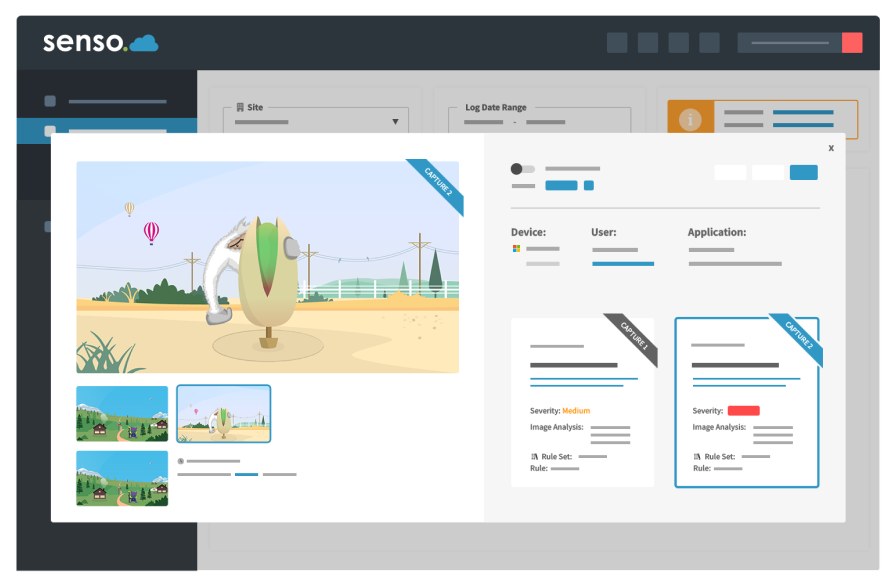
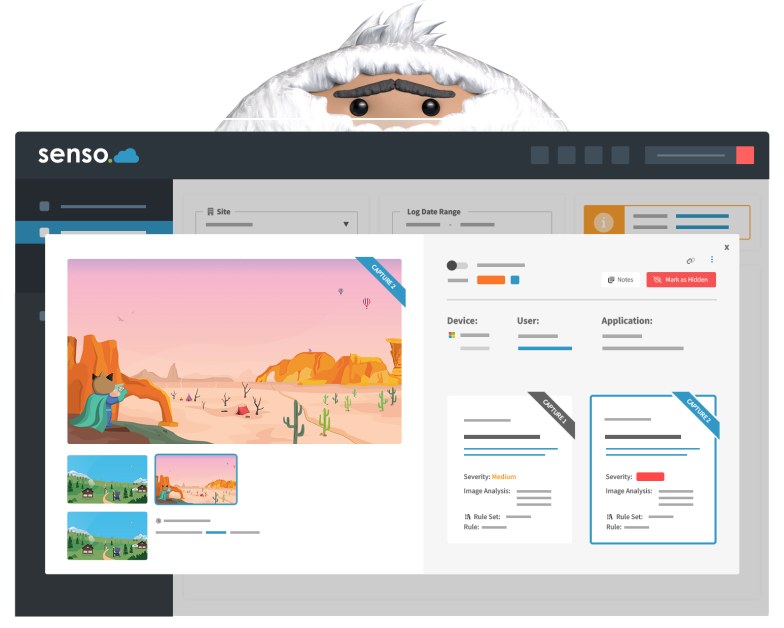
When a concern is detected, Senso automatically captures a screenshot at the precise point of concern alongside application context, user identity, device details and a timestamp. AI image analysis assesses visual content for risk and, where a concern is confirmed, marks the finding as Verified and presents the image blurred to protect DSL welfare.
- 3
DSL triage and assignment workflow
Alerts appear in the DSL triage interface with severity rating, full evidence package and student history. DSLs can assign to staff members, escalate to senior leadership, add structured notes, raise a concern report and mark resolved. Every action is logged throughout.
- 4
Human moderation (optional)
Schools using Assisted Monitoring Services have a UK-based specialist team review alerts before they reach the DSL, reducing false-positive workload and providing an additional layer of expert safeguarding judgement 24/7/365 including evenings, weekends and school holidays.
Capabilities
Every safeguarding capability, in one platform
Expand any card to read the full capability description. Student wellbeing technology built for the realities of school safeguarding practice.
Keyword and keyphrase detection
Expert-developed language resources detect concerning written activity across applications on managed devices, going beyond simple word lists to understand context and phrase structure.
Typed but not submitted activity capture
Captures text a student types and then deletes before sending, surfacing draft communications that would otherwise be invisible to any monitoring approach relying only on sent messages.
Contextual visual evidence
Automatic screenshot capture at the precise moment of concern, with application context, device identity and user details, giving DSLs the full picture, not just a matched phrase.
Alert severity levels and triage workflow
Incoming alerts are assigned severity levels and appear in a structured DSL triage interface, designed around the safeguarding workflow, not adapted from generic ticketing.
Assignment and safeguarding workflow
Assign alerts to named staff members, track ownership, escalate to senior leadership and manage cases through to resolution, with full audit logging at every step.
False-positive reduction and management
Contextually-aware detection reduces noise at source. DSLs can dismiss, categorise and annotate false-positive alerts while retaining the evidential audit record.
Concern reporting
Raise a formal written concern directly from a triage event, incorporating captured evidence, contextual notes and action taken into a structured, exportable concern record.
Acceptable use policy acceptance records
Timestamped records of each student's and staff member's acknowledgement of the school acceptable use policy, stored within the platform and available for audit and inspection.
Reporting, audit and retention controls
Configurable evidence retention, exportable alert and concern reports, and a full audit log of every DSL action, supporting inspection, referral and group-level governance.
AI image analysis and image blurringVerified
AI analysis assesses captured images for concerning visual content. Where a concern is confirmed, images are blurred to protect DSL welfare while preserving the evidential record.
Agentless Microsoft Teams monitoring
Connects directly with Microsoft 365, extending safeguarding visibility into Teams without relying on endpoint activity capture.
Assisted Monitoring Services
An optional managed moderation service staffed by a specialist team, providing 24/7/365 first-line alert review and expert escalation to your DSL.
Integration with Web Filtering and the Senso platform
Safeguarding Monitoring and Web Filtering operate in the same platform, shared policy, shared user directory, correlated evidence and unified reporting across the Senso product suite.
Alert severity levels
Prioritise the alerts that matter most
Severity levels are assigned at detection and configurable by group or school administrators to reflect local risk thresholds and DSL workflow preferences.
Immediate risk indicators, self-harm, violence, emergency language. Routed to the top of the DSL triage queue and, where Assisted Monitoring is active, escalated to school within agreed timescales.
Serious concern language, abuse disclosures, radicalisation indicators, targeted harassment. Requires DSL review within the school's own response timeframes.
Moderate concern language, distress indicators, concerning relationships, risk-adjacent activity. Reviewed and categorised by DSL as part of standard triage.
Contextual or ambiguous activity. Retained in the audit record. Useful for identifying patterns over time and informing pastoral conversations.
Platform coverage
Supported platforms and operating systems
Coverage varies by capability and OS version. Contact Senso for a current coverage matrix.
| Platform | Keyword detection | Visual evidence | AI image analysis | Teams monitoring |
|---|---|---|---|---|
| Windows (managed) | — | |||
| Chromebook (managed) | — | |||
| macOS (managed) | — | |||
| iOS (managed) | — | |||
| Microsoft 365Agentless | — | — | — |
Contact Senso for full capability and OS version coverage details. Teams monitoring availability subject to Microsoft 365 tenant configuration.
Multi-school and MAT deployment
Central policy. Local DSL access.
For multi-academy trusts, school groups and districts, Senso Safeguard supports central keyphrase and keyword monitoring policy set at group level with per-school exceptions. Each school DSL sees only their school events, while group leadership and IT administrators have cross-school visibility according to their role. Shared Assisted Monitoring Services allocation can be distributed across multiple schools, maximising value across the group.
- Group-level keyphrase configuration with school-level overrides
- Shared Assisted Monitoring Services allocation across multiple schools
- Cross-school reporting for group safeguarding leads and governors
- Delegated DSL access per school with group admin oversight
- Unified concern reporting and audit trail across the group
Multi-school management
See how Senso central hierarchy and delegated roles support multi-academy trusts, school groups and districts at platform level.
Learn more →
Assisted Monitoring Services
UK-based specialist team providing 24/7/365 first-line alert review, false-positive triage and expert escalation to your DSL. Separately priced managed service.
Learn more →
Integrations
Connected across the Senso platform and Microsoft 365
Integration availability subject to product version and region. Contact Senso to confirm current integrations.
Security and data residency
Isolated. Regional. Role-controlled.
Your organisation's data is securely isolated within Senso's regional Azure environment, with role-based access, regional data residency and controlled retention. Senso does not access evidence outside agreed service boundaries. Data residency, retention periods and subprocessor information are available in Senso's data processing documentation.
Trusted by schools
Protecting students in more than 12,000 schools
Senso Safeguarding Monitoring is trusted by schools and trusts across the United Kingdom, United States and Australia. Student online safety monitoring built on more than two decades of safeguarding expertise.
12,000+
Schools on the platform
30
Countries
Since 2001
Safeguarding heritage
Safeguarding Monitoring, frequently asked questions
See Senso Safeguard in action
Book a demonstration for your DSL / DDSL team and see how keyword detection, triage workflows and contextual visual evidence operate in practice.